Know what's yours. Set aside the rest.
A bookkeeping and tax set-aside spreadsheet for freelancers. Log what comes in and goes out, track your invoices, and see exactly how much of each payment belongs to the tax office.
- Google Sheets & Excel
- US, UK + any country
- 2026 & 2027 rates
About 10 minutes a week
Log it
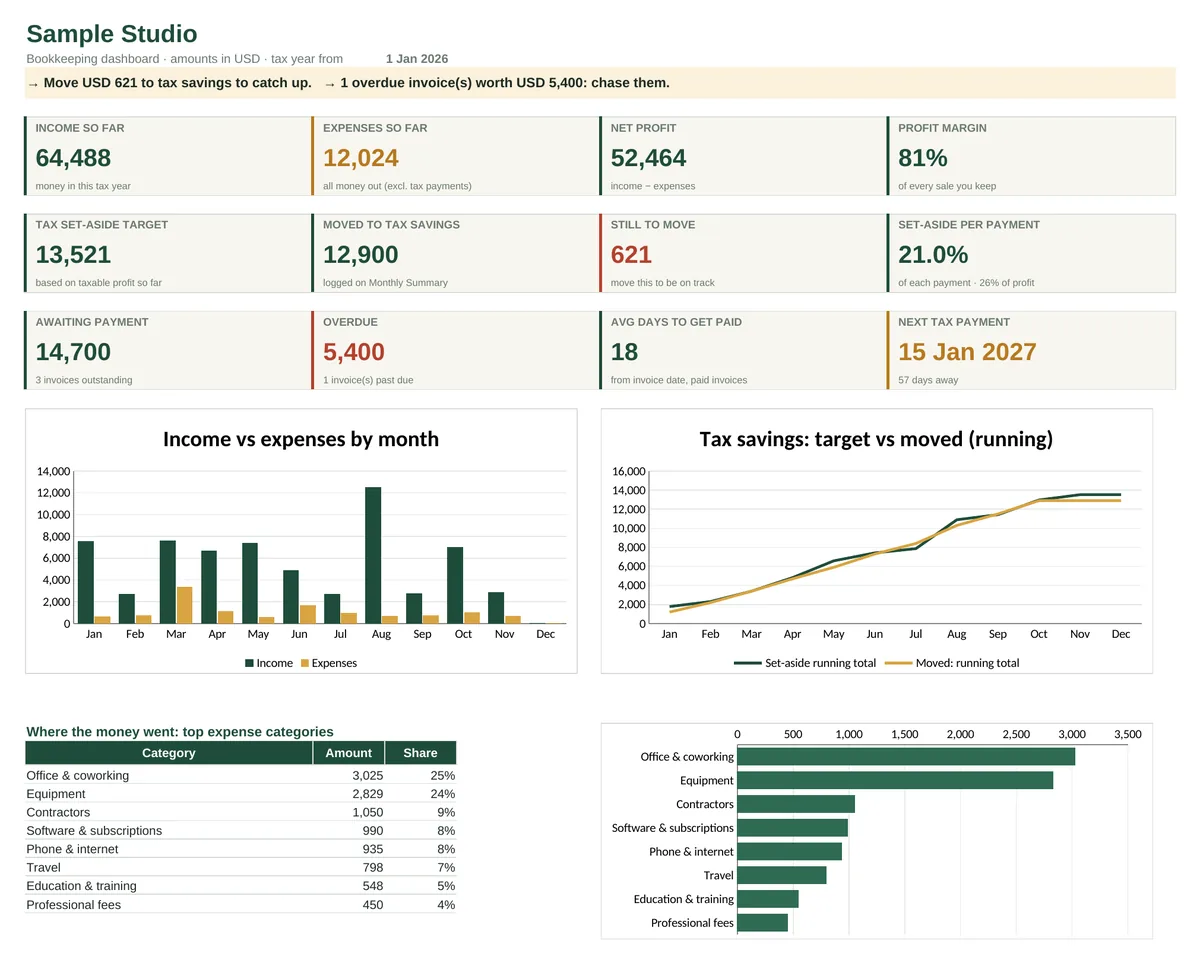
One row per payment or expense. Pick a category, and the type, the deductible share and the tax-year check fill themselves in.
Set it aside
Got paid? Type the amount and it tells you what to move to tax savings, based on your real profit so far.
Stay on top
The dashboard flags what to do next: money to move, invoices to chase, and how many days until the next tax payment.
A tax estimate that uses your numbers
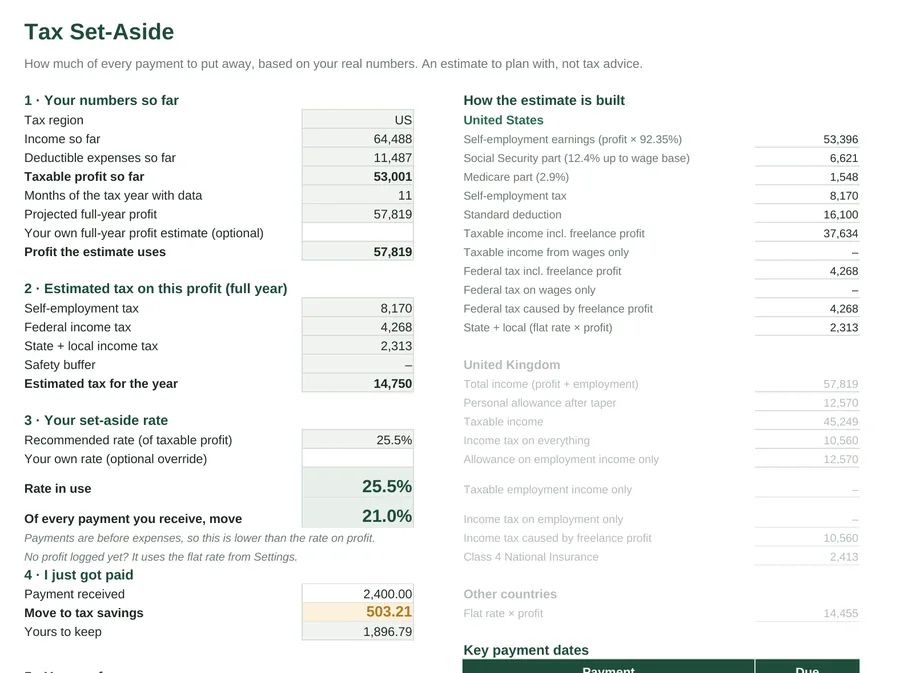
Most freelancers guess at 25–30%. The kit works out a rate from your own profit:
- US: self-employment tax with the Social Security cap, federal brackets with the standard deduction (single or joint, on top of any salary), plus your state rate.
- UK: income tax with the personal allowance taper and Class 4 National Insurance.
- Anywhere else: your own flat rate.
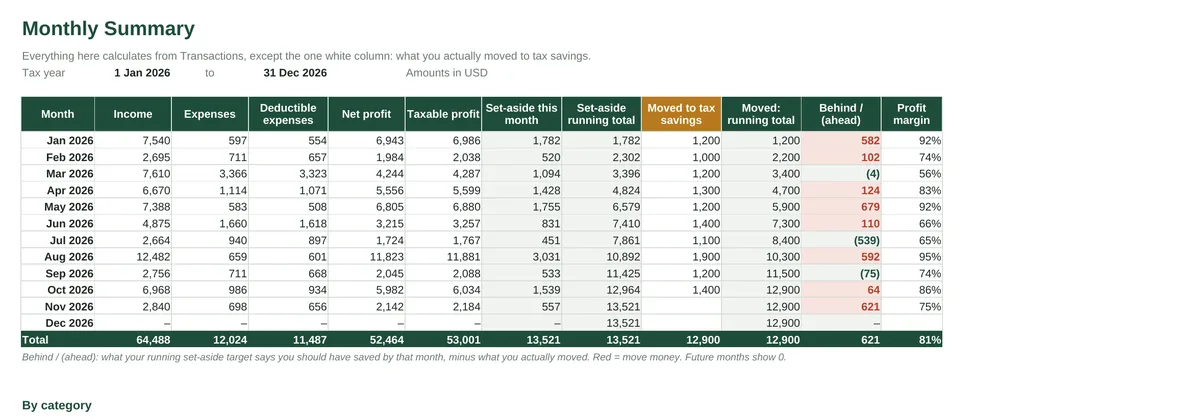
It shows every step of the sum, so you can check it. It also tracks what you've actually saved, and tells you when you're behind.
Invoices that chase themselves
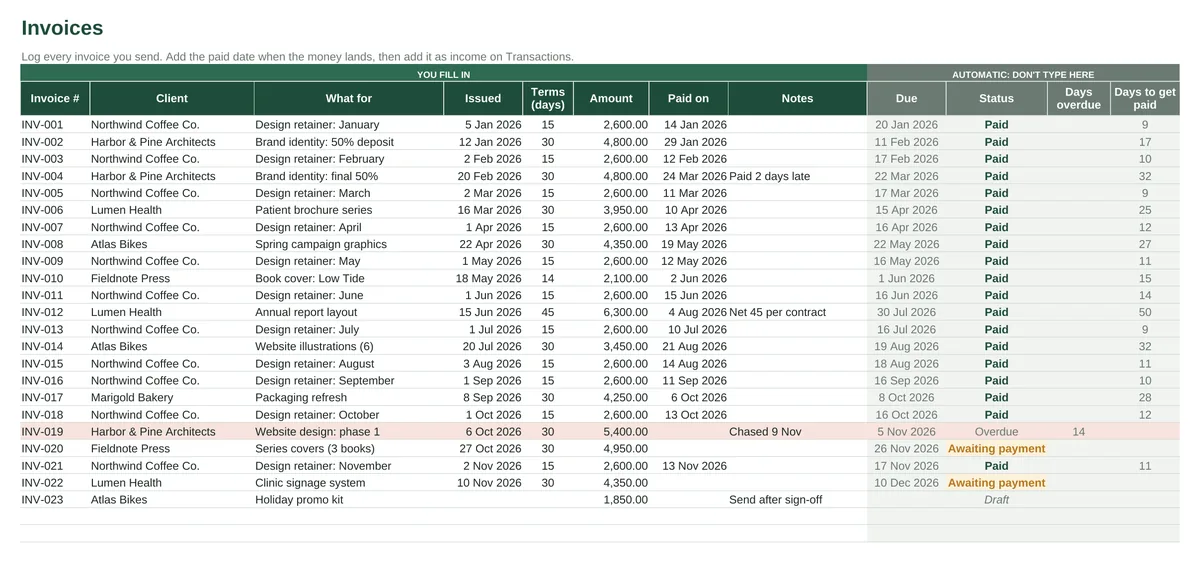
Log an invoice when you send it. The due date, status, days overdue and your average days-to-get-paid all calculate themselves. Anything late turns red on the invoice list and shows up on the dashboard.
Freelancer Bookkeeping & Tax Set-Aside Kit
- 8 tabs: Start Here, Dashboard, Transactions, Invoices, Monthly Summary, Tax Set-Aside, Settings, Tax Rates
- Sample data to learn from, plus a blank copy
- 21 ready-made categories with deductible %, and room for your own
- Real formulas, no macros, works offline
- Any currency; tax year can start on any date
Questions
Do I need Excel?
No. It works in Google Sheets (free), Excel 2010 or later, LibreOffice and Apple Numbers. You get an .xlsx file. To use Google Sheets, upload it to Drive and choose Open with › Google Sheets.
Which countries does the tax estimate cover?
The US (federal brackets, self-employment tax and a state rate) and the UK (income tax with the personal allowance taper, and Class 4 National Insurance, using England, Wales and NI rates). Anywhere else, you set a flat rate and the kit does the rest.
Is this tax advice?
No. It's a planning tool that gets you close enough to save the right amount. Credits, other income and special rules can change your final bill, so check with an accountant or your tax authority before you file.
What about next year?
The rates live on their own tab with 2026 and 2027 figures already filled in. For a new year, save a copy, clear the data and change the tax-year start date.
Is there a subscription?
No. You pay $24 once, and the file is yours. It has no macros, add-ons or logins.
What if it's not for me?
Email [email protected] within 30 days and you'll get a refund. No forms.